
A year of moods and the dates you care about, on one page
Five hundred words a night is too much, and the dates that matter always end up somewhere else. MoodDiary boils the day down to tapping one square and picking a colour, with room to write more if you feel like it. Trips, exams and anniversaries go on a countdown that tells you when they are close. Fill all 365 and the year becomes a pixel picture of itself.

Five tabs
Year / Diary / Countdown / Insights / Settings
Devices
iOS / iPadOS / Android
Privacy promise
No cloud / no analytics / no AI / keyword matching on device
Who it is for
People who find journalling a chore / anyone wanting a year in review / anyone who forgets the dates that matter
Why MoodDiary rather than another journalling app
Long entries last about a week. MoodDiary drops the barrier to one square, and picks up the dates you care about along the way. Fill all 365 and you end up with a pixel picture worth sharing.
Five seconds, no pressure
Tap one square, pick a colour, done for today. No title to think of, no five hundred words. It is hard to fall off, so the year fills almost by itself. Want to say more? Tap the square and add a few lines — 20 entries free.
The dates you care about stop slipping
Trips, exams, birthdays and anniversaries become countdowns you see on the home screen. Add a cover photo and a line or two about what you are looking forward to, and when the day arrives it becomes a marked square in your year. Eight free; Pro adds yearly repeats and multi-stage reminders.
Privacy first, entirely on-device
Moods and diary entries are about as sensitive as data gets. MoodDiary sends nothing to any server, carries no analytics SDK and talks to no AI service. The sentiment read happens on your phone by simple keyword matching, and what you wrote never leaves the device.
365 squares, a diary, countdowns and a year in review
From five seconds a night to a few written lines, the dates ahead, on-device mood stats and a 4K export — here is how MoodDiary turns a year into a pixel picture.
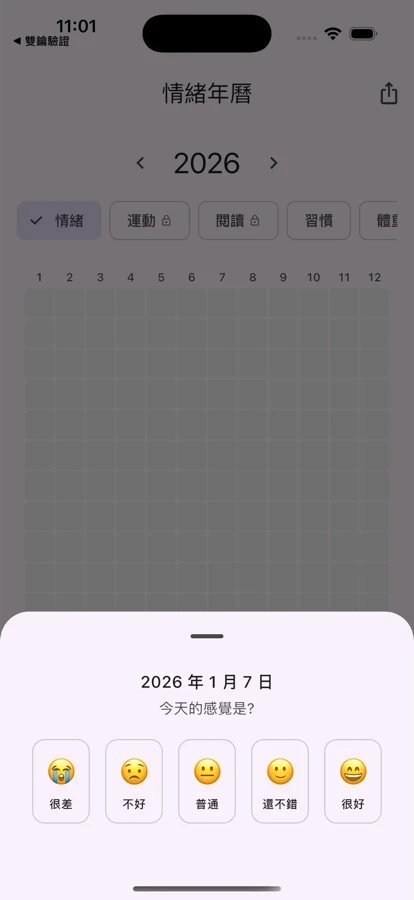
The 365-square year (free at the core)
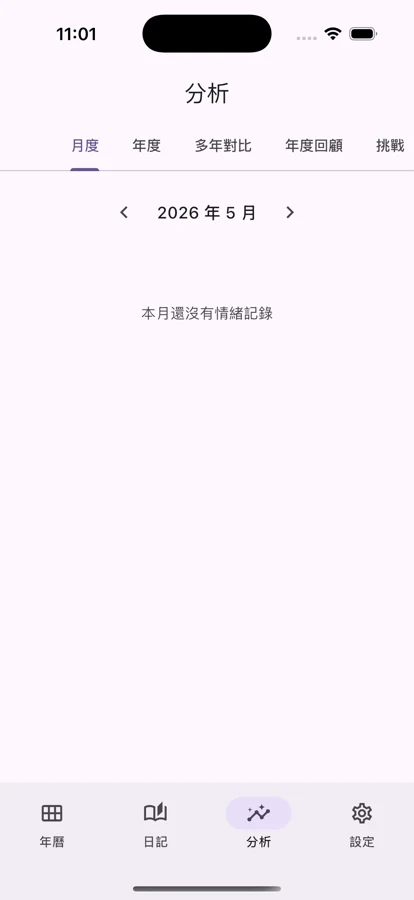
The home screen is the year itself. Tap today's square, pick one of five moods, and you are out of the app. Pro unlocks side-by-side years so you can see how they compare. Logging is free forever, with no limit of any kind.
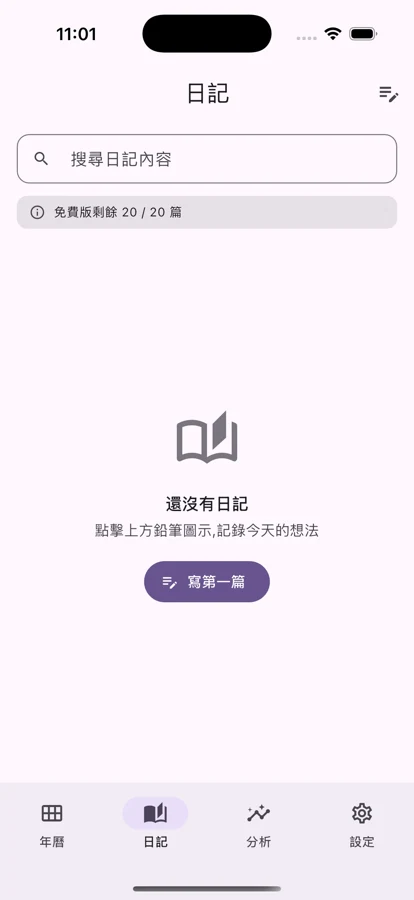
Plain-text diary (20 free)
Want to write more? Tap any square to open its day and add a few lines. Twenty entries free, unlimited on Pro. The diary itself has no photo field — the photos belong to countdown covers, and the two are kept apart on purpose.
Count down what matters (8 free)
Trips, exams, birthdays, anniversaries and work deadlines, each with a category. The home screen shows how many days are left — or how many have passed since. Add a cover photo and a short note. Eight free, with a single reminder on the day; Pro adds yearly repeats and reminders at several points beforehand.
Year in review, exported in 4K
Open the app on 31 December for the full year plus a written review: the mood that came up most, the lowest and highest months. The words are assembled on your phone from rules and templates — no AI wrote them. Pro unlocks the 4K export with no watermark and the 1080×1920 story format.
From five seconds a night to a 4K year, in one app
A mood log gets opened once a day, so the lower the barrier the more it gets used. MoodDiary does the five-second tap, the dates ahead, the privacy promise and a good-looking export all at once.
- The 365-square year in five mood levels — logging free forever with no limit
- Plain-text diary, 20 entries free and unlimited on Pro
- Eight free countdowns, each with a category, a cover photo and a short note
- One reminder on the day for free; multi-stage reminders and yearly repeats are Pro
- Sentiment read on the device by keyword (16 positive, 16 negative) — entries never leave the phone
- Monthly and yearly charts, every figure worked out on the device
- The year in review is assembled from rules and templates, not generated by AI
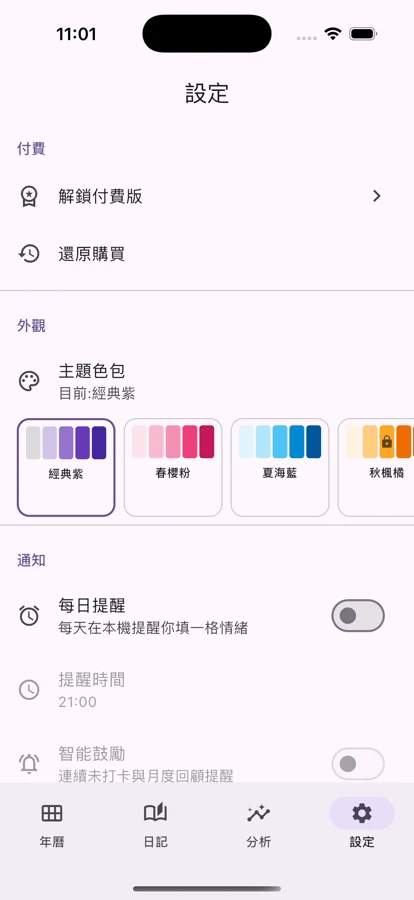
- More than 20 colour themes (Pro)
- 1080×1920 story and 4K watermark-free export (Pro)
- Daily reminders and the year-end review, all local notifications with no push service
- Streak celebrations at 7, 30 and 100 days in a row
- Android home screen widget: today's square and the nearest countdown at a glance
One page cannot hold it all
From the 365 squares to the countdowns and the year in review — a slower look at how MoodDiary turns a year into something worth sharing.
365 squares
Diary
Counting down
Year in review
Mood stats
Pro
When you will reach for it
Whether journalling defeats you, the dates keep slipping, or you want a proper look back at the year — MoodDiary has a place in all of it.
Five seconds before bed
Five hundred words a night is too much. Open the app, tap today's square, pick a colour, close it. Fill all 365 and the year quietly becomes a pixel picture of itself.
The wait before a trip
Book the flights, make it a countdown, put a photo of where you are going on the front. The home screen says twelve days. On the day itself, it becomes a square you will remember.
Exams and deadlines ahead
Finals, a report due, a licence to renew — each its own countdown, each with a category. Free gives you one reminder on the day; a week and three days out as well is what the Pro multi-stage reminders are for.
Seeing the shape of the year
The year felt "not great" but you cannot say where. All 365 days at once shows the good and the low stretches, with the most common mood and the highest and lowest months marked for you.
A year-end summary without the digging
It is 31 December and re-reading a year of entries is not happening. The review page assembles itself on your phone from rules and templates — not written by AI, and every figure comes from your own squares.
Sharing it as a story
Pro unlocks the 4K export with no watermark, in the 1080×1920 story format. Pick a colour theme and what goes up is a year that actually looks designed.
Why MoodDiary
More than a mood log — no cloud, bought once, tracking nothing.
Entirely on-device, no cloud
Squares, entries, countdowns and stats all sit in SQLite on your phone. No backend of ours, no forced sync, no analytics SDK, no AI service. The sentiment read is keyword matching on the device, and what you wrote never leaves it.
NT$60 once. Yours forever.
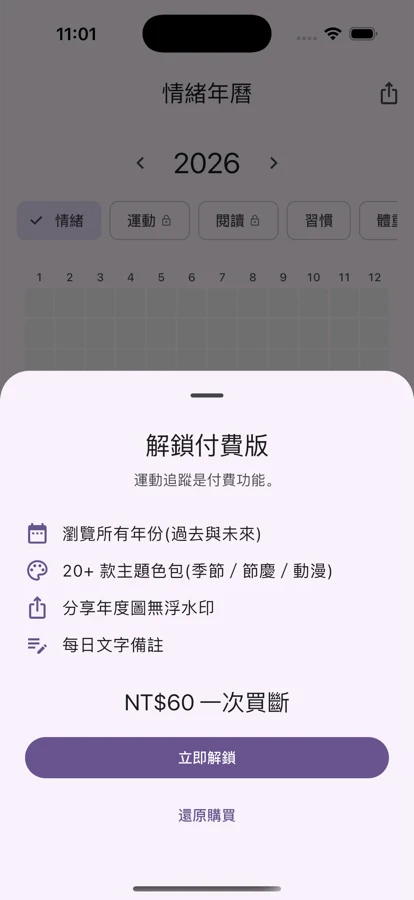
No subscription, no monthly fee. The free tier keeps the core open: logging never expires, with 20 diary entries and 8 countdowns. Pro is NT$60 once — unlimited entries, multi-stage reminders, yearly repeats, colour themes, 4K export and side-by-side years.
This is not a medical device
We treat MoodDiary as an aid to keeping a mood record, not as therapy software. If you are dealing with anxiety, depression or anything else, please seek help from a qualified therapist or doctor.
FAQ
The questions we get most, so you can tell quickly whether MoodDiary suits you. The full list is on the FAQ page.
No. MoodDiary has no accounts — open it and start. We do not ask for an email address, a name, a phone number or a date of birth. The Pro purchase is verified by your Apple ID or Google account, so we cannot even see whether you bought it.
No. Everything sits on your device and works offline. Pro includes a backup that runs only when you press it, writing to your own iCloud or Google storage that only you can see — a manual backup and restore, not automatic sync, and our servers are never involved. The sentiment read is keyword matching on the device, and what you wrote never leaves your phone.
No. The sentiment read is plain keyword matching — 16 positive words and 16 negative ones — running entirely on your device. The year-in-review text is assembled on the phone from rules and templates, not written by AI. We connect to no cloud language model, and your entries are not sent anywhere.
Free: unlimited mood logging (the core, free forever), 20 diary entries, 8 countdowns, one reminder on the day, the basic colour theme, monthly stats and streak celebrations. Pro is NT$60 once: unlimited entries, multi-stage countdown reminders and yearly repeats, more than 20 colour themes, 4K watermark-free export, side-by-side years and fuller stats.
They are deliberately separate. The diary is something you write every day, and keeping it text-only keeps permissions at a minimum. A countdown is one of a handful of days you genuinely care about, where a cover photo earns its place — so the photo library is requested only when you pick a cover, only the image you choose is taken, it is copied into the app's own space and stays on the device, and the library itself is never read.
Light up the first square of the year tonight
NT$60 one-time. The free tier keeps the core open: logging free forever, 20 diary entries and 8 countdowns.